WhatsApp is now one of the most popular messaging apps all over the world, with over 3 billion monthly active users as of 2025. With its growing number of users, it will be beneficial for businesses to take advantage of WhatsApp Business features as an additional channel for customer service and engagement.
But things might be a bit difficult if done manually.
In this guide, we will show you how to efficiently do customer service on WhatsApp.
Feature #1: Sending Customized Messages To Customers
Keeping up with your customer base can be a pain if done manually, but with rocketsend.io’s ability to customize and automate messages to your customers can help you save hours. In just a few clicks, you can send announcements, greetings, and business notifications with ease without taking much of your time.
Just go to rocketsend.io WA Sender and install the Chrome extension.
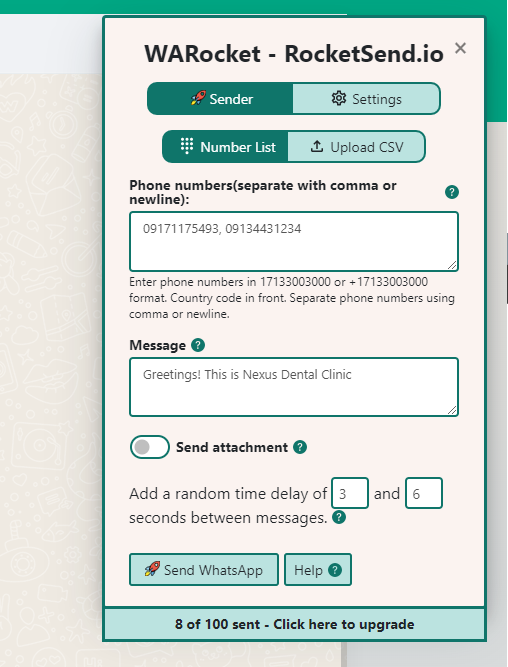
Head to your WhatsApp Web, and the rocketsend.io pane will appear. Simply key in the phone numbers you wish to send the message to, type in the message and voila!
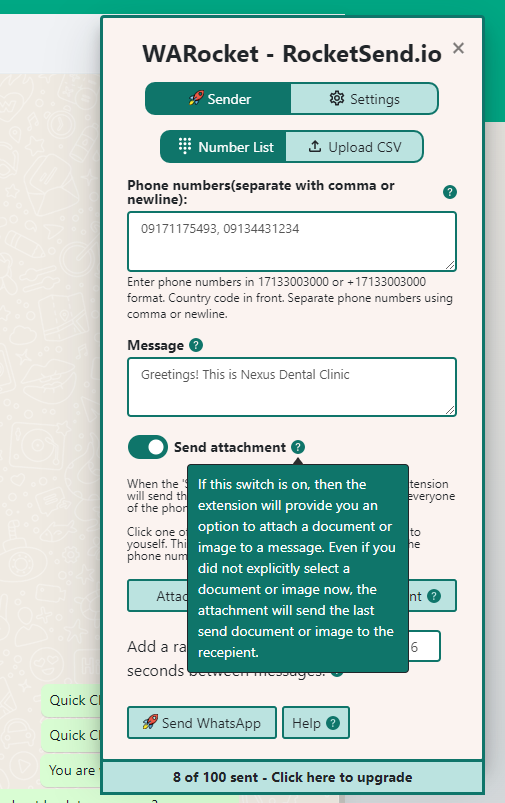
You can also attach files and documents to your messages!
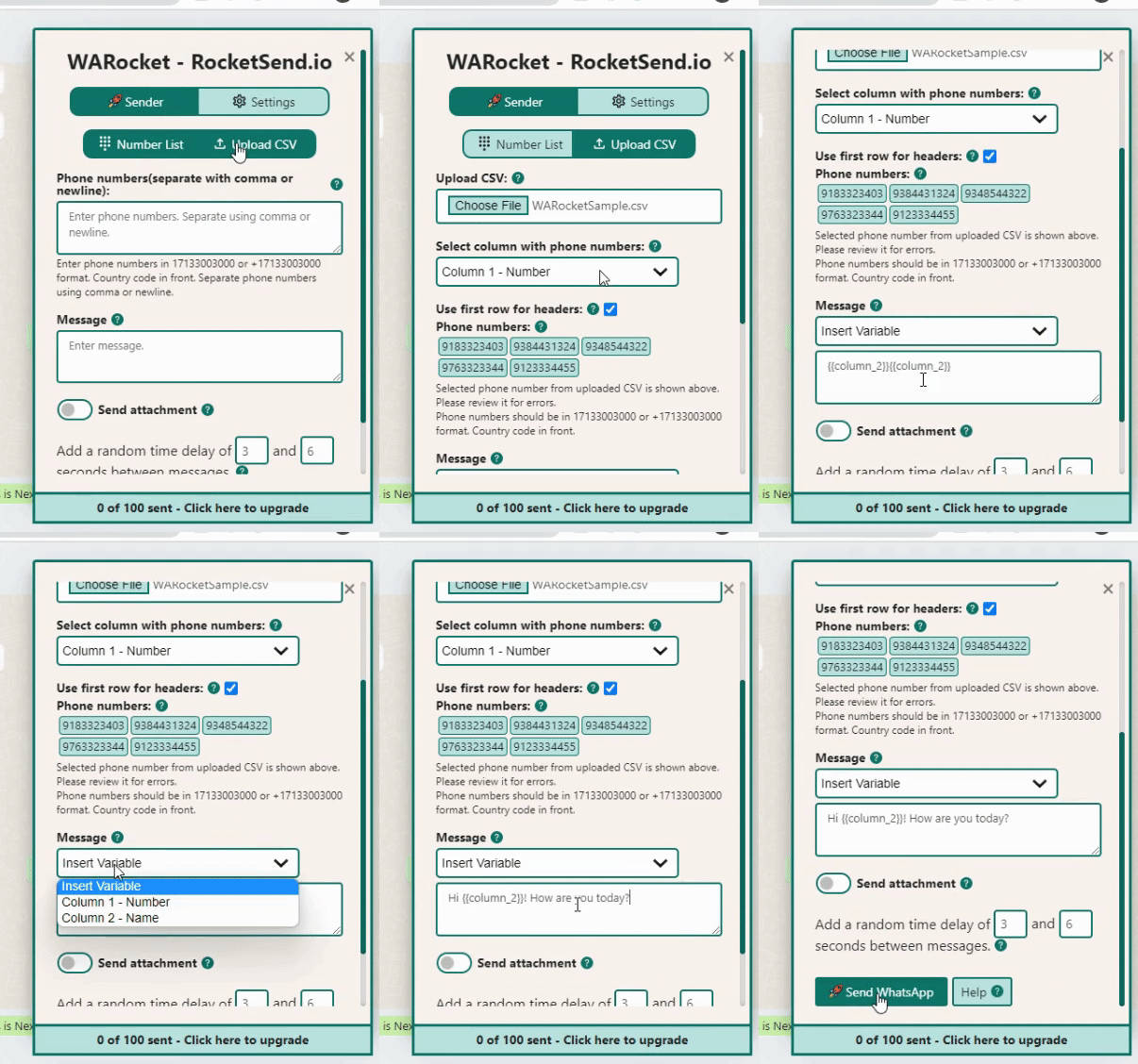
Furthermore, you can send messages directly from Excel Sheets in CSV format. To do this, you can save the numbers and names of your customers, upload the CSV file to rocketsend.io pane and send the messages quickly. Check out this related video for more information.
Feature #2: Quickly Reply With Quick Chats
Manually typing everything can be tedious, but rocketsend.io’s Quick Chat is here to help you out! With Quick Chats, you just have to click the button and send the message right away, without touching a single key on your keyboard.
Upon installation of rocketsend.io Chrome Extension, there will be 3 pre-filled Quick Chats for your convenience. But of course, you can also save your own customized Quick Chats based on your needs.
Simply click the Add Quick Chat link on top of your WhatApp message box:
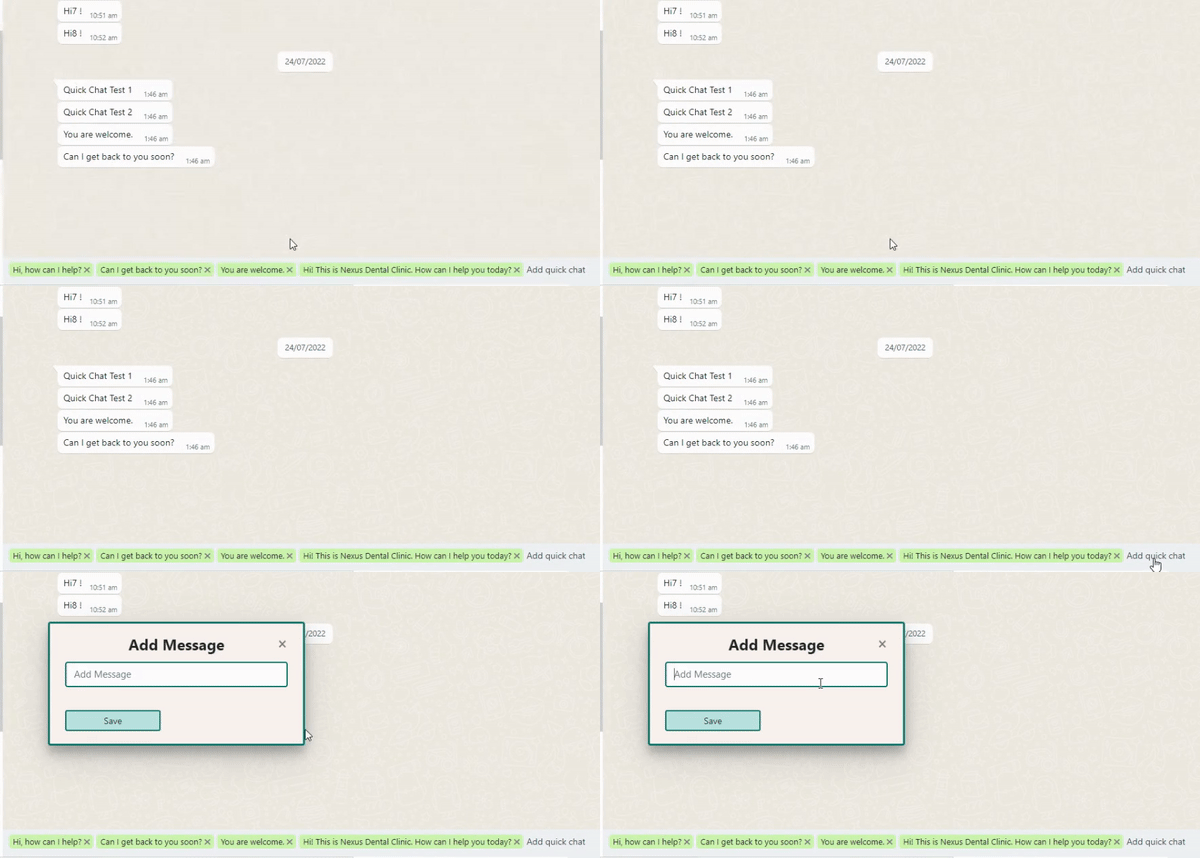
Add your customized Quick Chat and click Save.
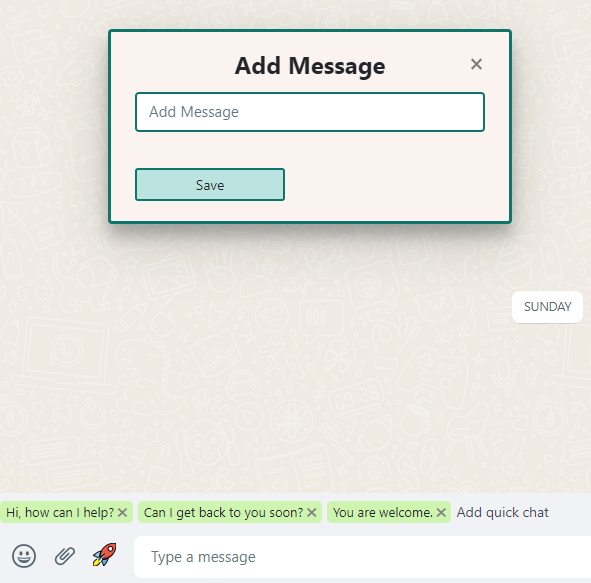
You can also delete a Quick Chat, if you wish to keep your list clean. Just click the X button beside the Quick Chat button.

Feature #3: Highlighting Unread Messages
When swamped with a lot of things, one can miss new messages. This will ultimately affect response time and may affect overall consumer satisfaction.
Using the Highlight Unread Messages feature of rocketsend.io, you can never miss a new message. With this simple yet useful feature, you can make sure that all customer inquiries and feedback will have the fastest response time possible.
To enable this, you can click the Star Icon on the left side panel of your WhatsApp web, and enable to Highlight unread toggle button
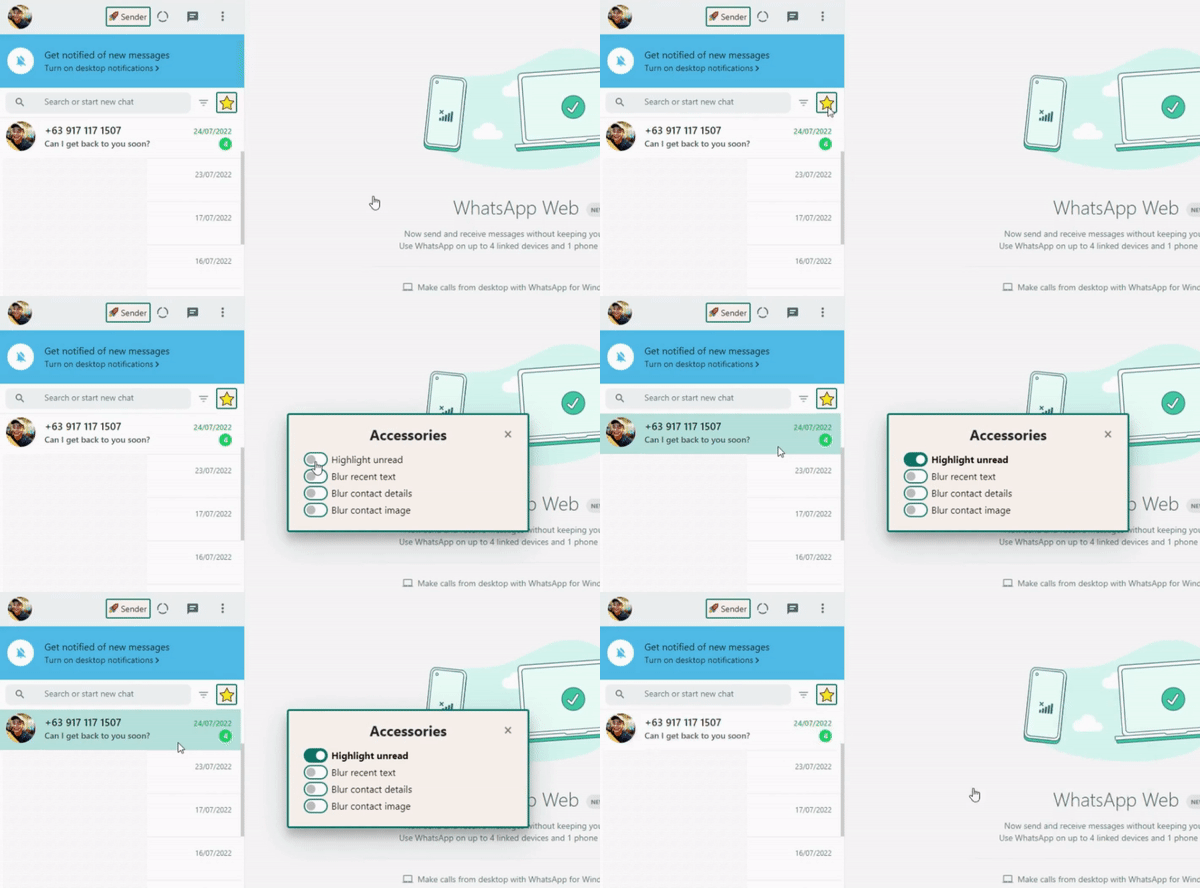
Check out our video below showing how you can use WhatsApp for customer service.
Conclusion
Customer service doesn’t need to be slow and painful. With rocketsend.io’s rich messaging features, you can efficiently keep up with your customers’ concerns, feedback and messages.
Curious about what other things WARocket can do? Check out the related guide articles.