In this guide article, we are going to show you how to use WhatsApp for CRM like Hubspot or SalesForce.
Stay Connected With rocketsend.io
Rocketsend.io offers great features extending WhatsApp out-of-the-box capabilities which includes customization of messages for customers without creating broadcast list or group chat, that aside from CRM, can also be used for marketing purposes.
To use WhatsApp as a CRM, you will need the rocketsend.io extension installed on your Chrome browser. To do this, just go to rocketsend.io, and click the Install Chrome Extension button.
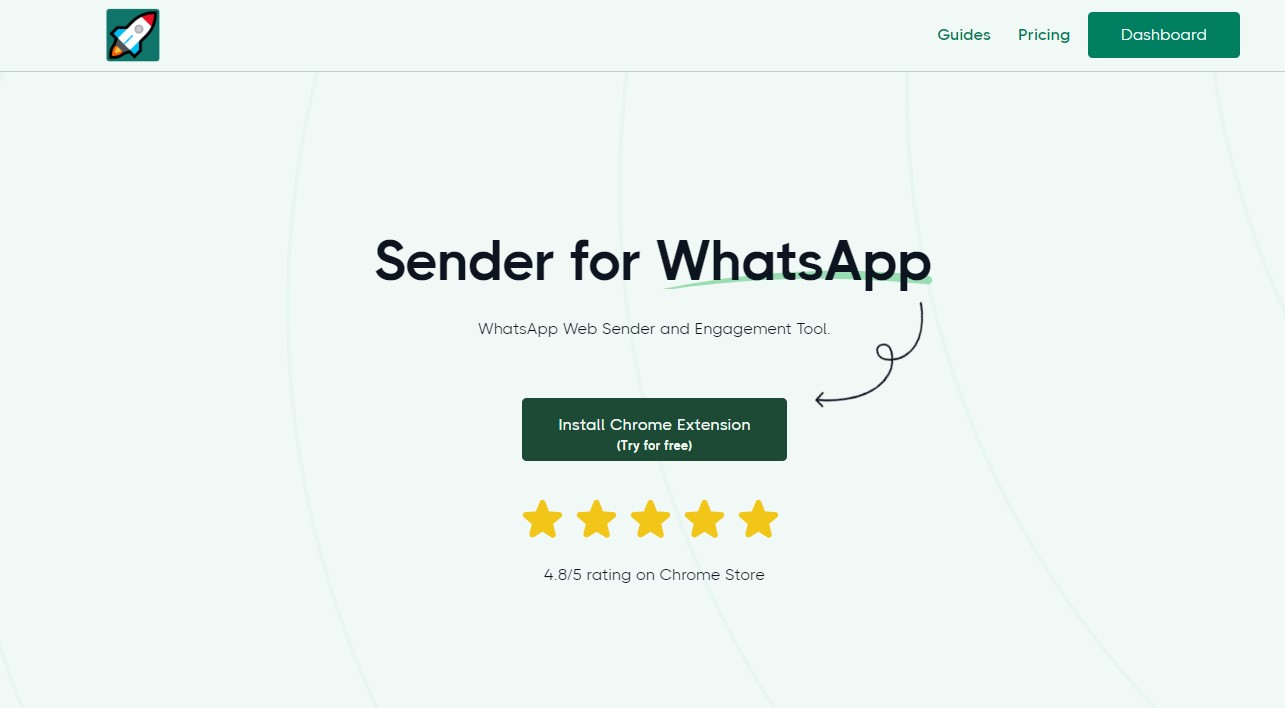
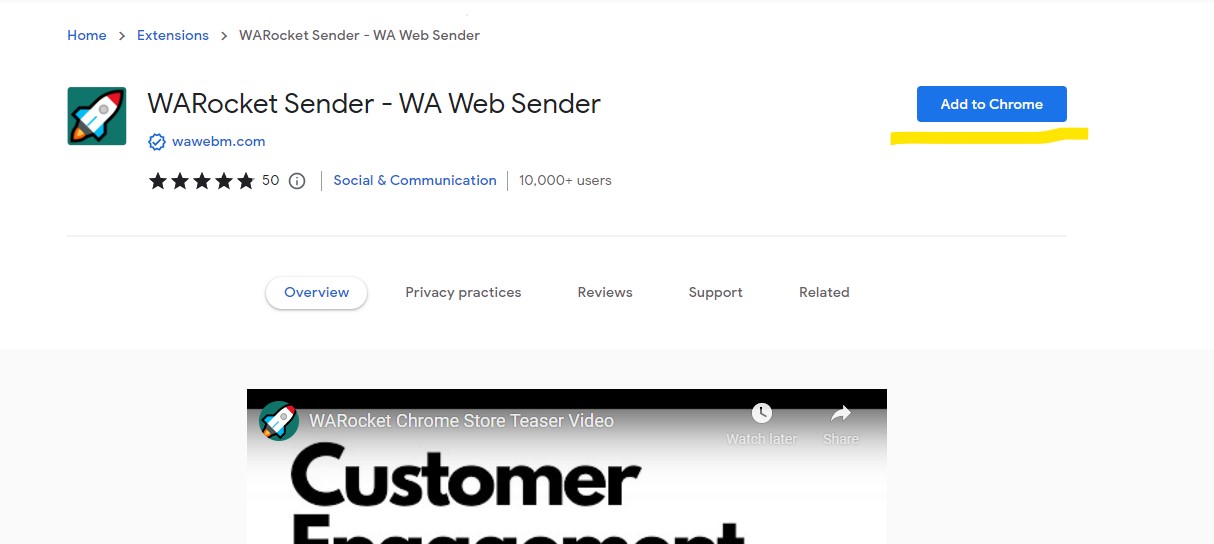
After which, you will be redirected to the Chrome store page of rocketsend.io, and click Add To Chrome.
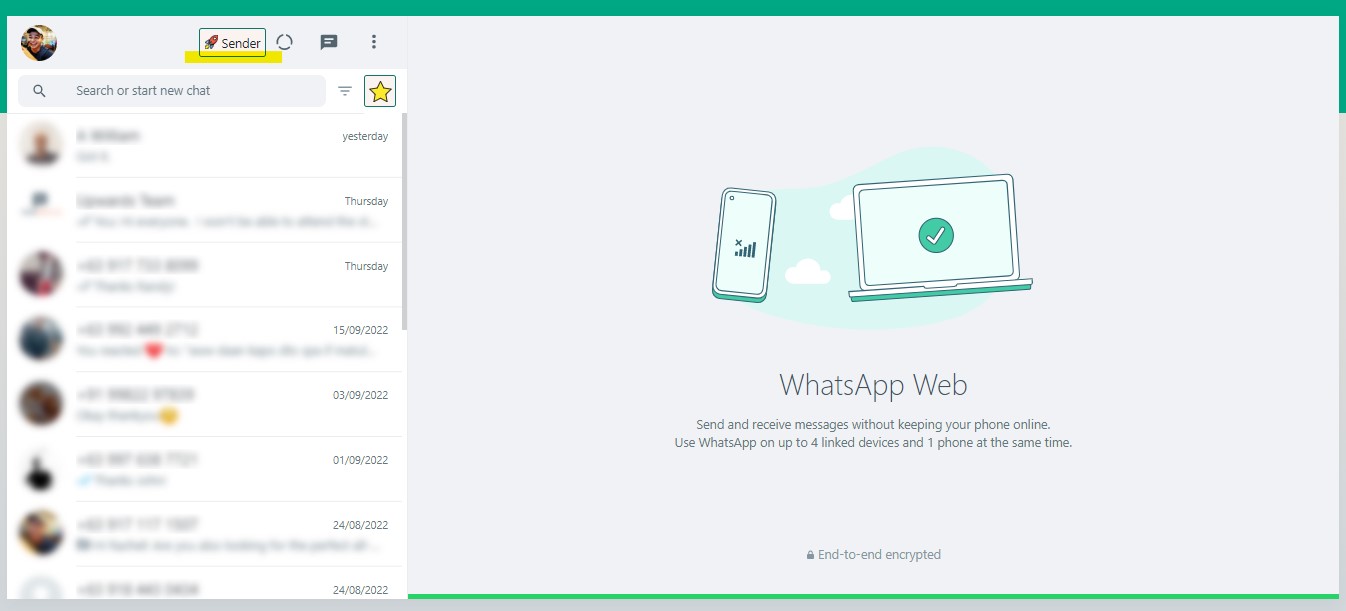
After successful installation, go to your WhatsApp web by visiting web.whatsapp.com. Click the Sender button on the top left corner of the page to open the rocketsend.io pane. This will be shown on the right hand side of your WhatsApp Web.
To send messages to customers, we will be using the Upload CSV feature of rocketsend.io that will enable contact organization and message customization with ease. With this example, you can either use Microsoft Excel or Google Sheet to organize your CSV file. Check out our related guide articles on how to send WhatsApp messages with Microsoft Excel or Google Sheets.
Go to your spreadsheet editor, and create a new file.Create the Phone Number and Name column, as the list of the people you want to send the message to.
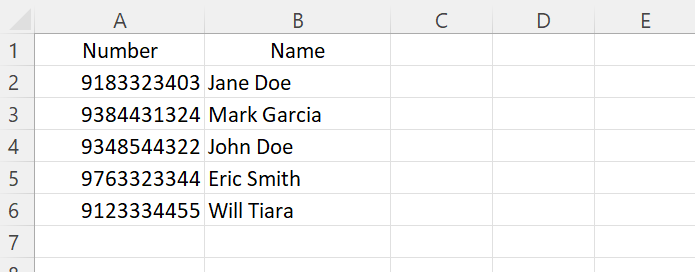
After entering and organizing your contact list, save your file as CSV (Comma delimited)
Go to web.whatsapp.com and click the Sender button on the upper right side of the page. On rocketsend.i o pane, click the Upload CSV button, and choose the file you created.
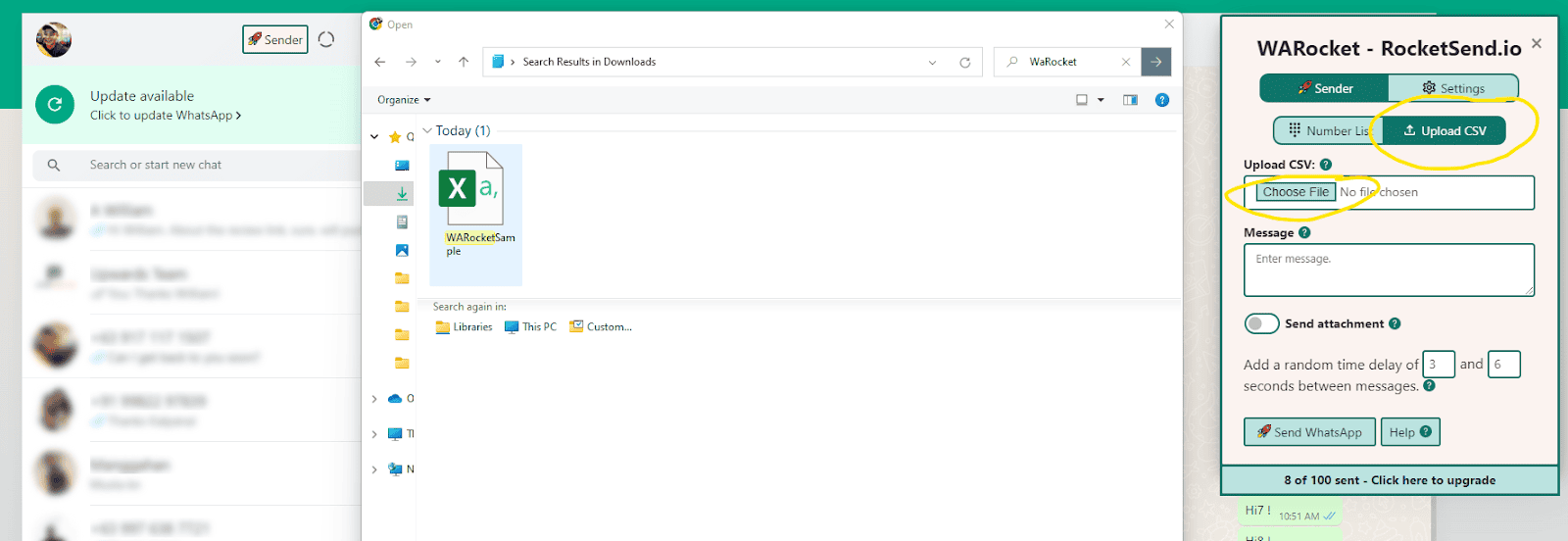
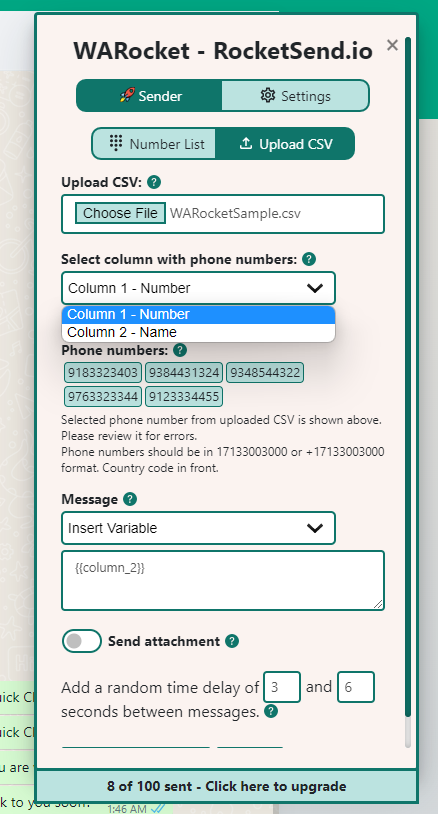
Map the phone number to the field on the file you’ve created.
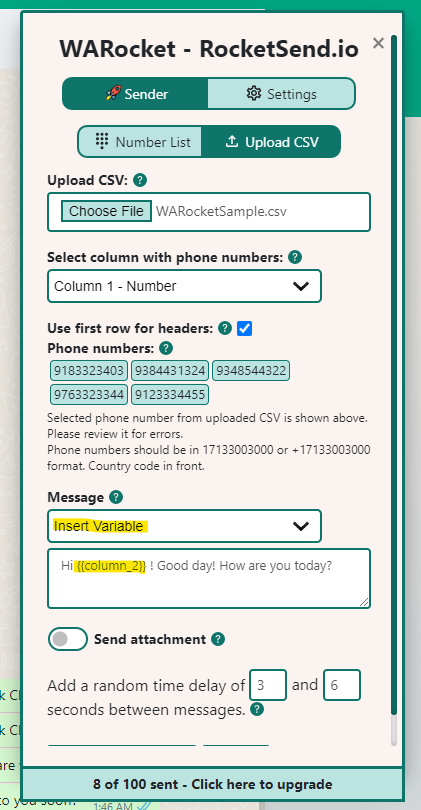
After that, you can now enter your message in the Message field. You can also further use the columns as message variables, to make it customized and distinct per customer. You can do this by clicking on the ‘Insert Variable’ dropdown and then select the column you would like to insert. The inserted column is shown in curly braces like {{column_name}}.
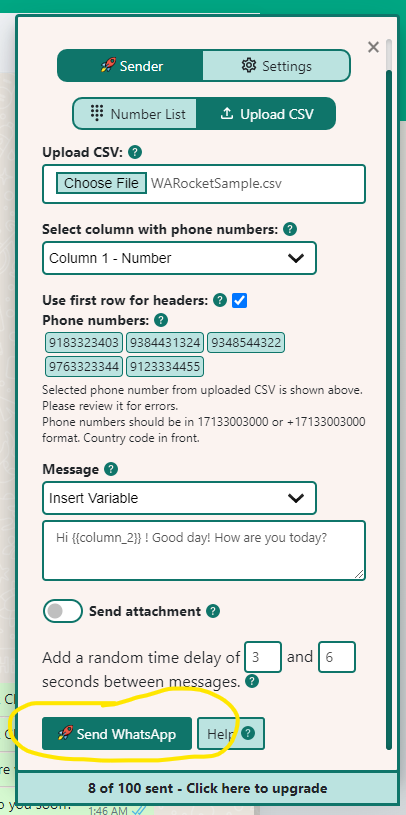
Once everything is set, click the Send WhatsApp button to send your message.
Video Description
Conclusion
With rocketsend.io’s rich customer engagement features, you’ll be at ease building stronger and lasting relationships with your customers. In easy steps, you can keep in touch with your existing and potential customers.
Check out our guide articles to know more about rocketsend.io’s customer relationship and engagement features.