Customer feedback and testimonials build social proof and influence new leads. Sharing authentic customer quotes on your website or social channels can increase conversions by up to 34%. By capturing feedback directly in WhatsApp, you streamline the process and keep the conversation in the channel your customers already trust.
Install rocketsend.io
Open Chrome and visit rocketsend.io. Click Install Chrome Extension → Add to Chrome → Confirm. Pin the rocketsend.io icon next to your address bar
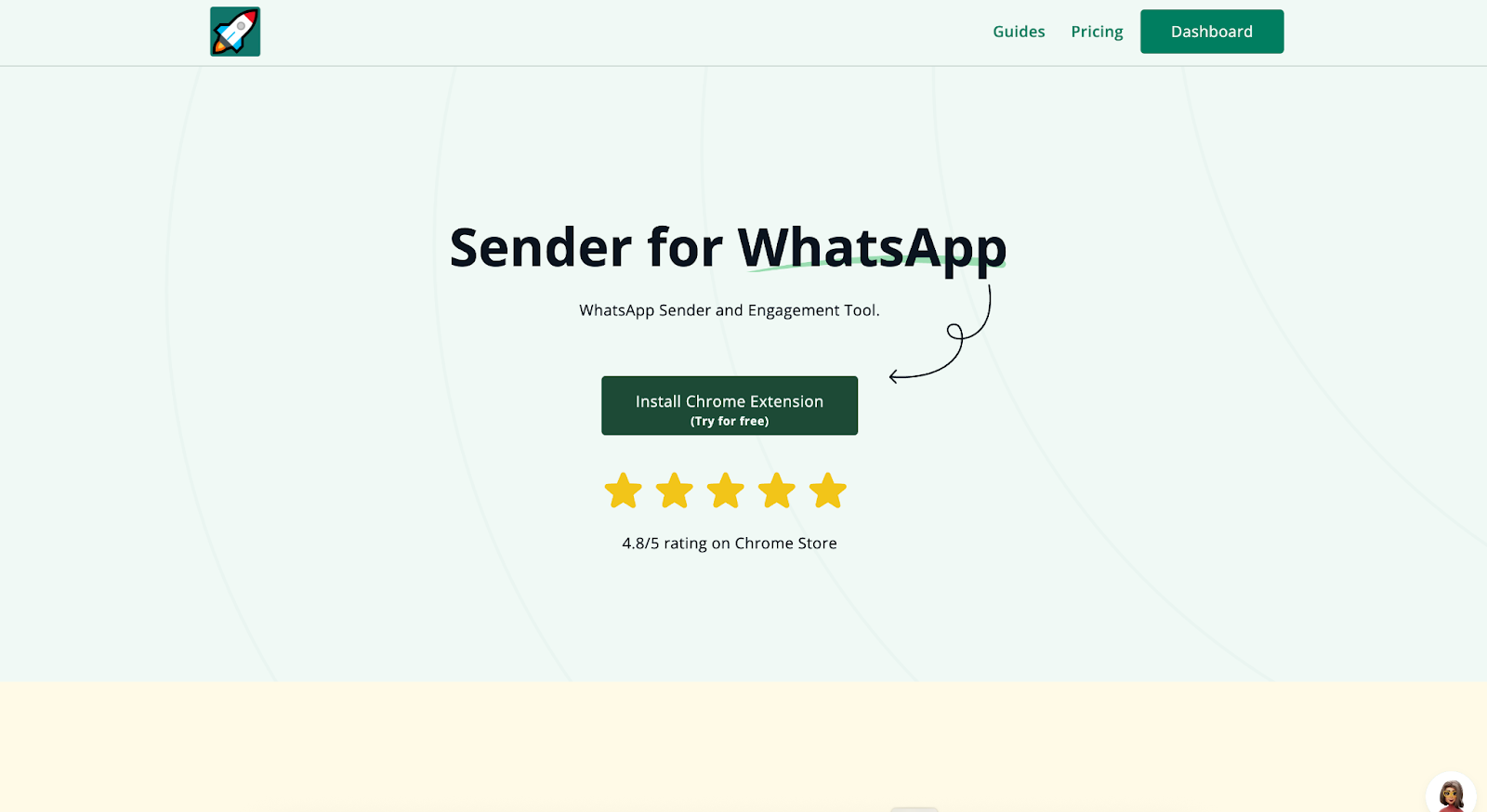
Open WhatsApp Web and click Sender in the top-left to open the rocketsend.io pane.
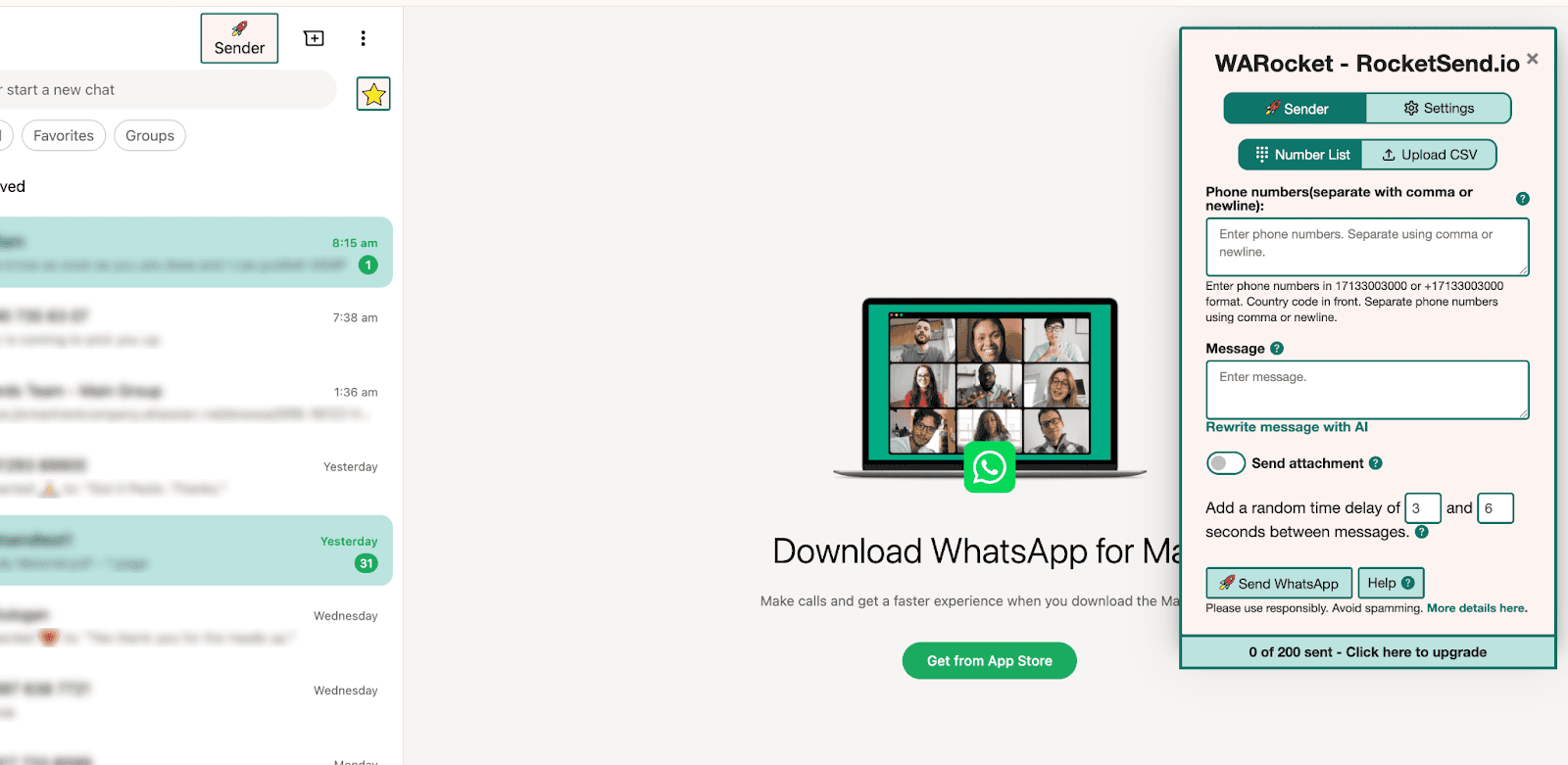
Prepare Your Contact List
Compile a list of satisfied customers’ phone numbers and names in a spreadsheet
Save as CSV in Excel (File → Save As → CSV) or Google Sheets (File → Download → Comma Separated Values (.csv))
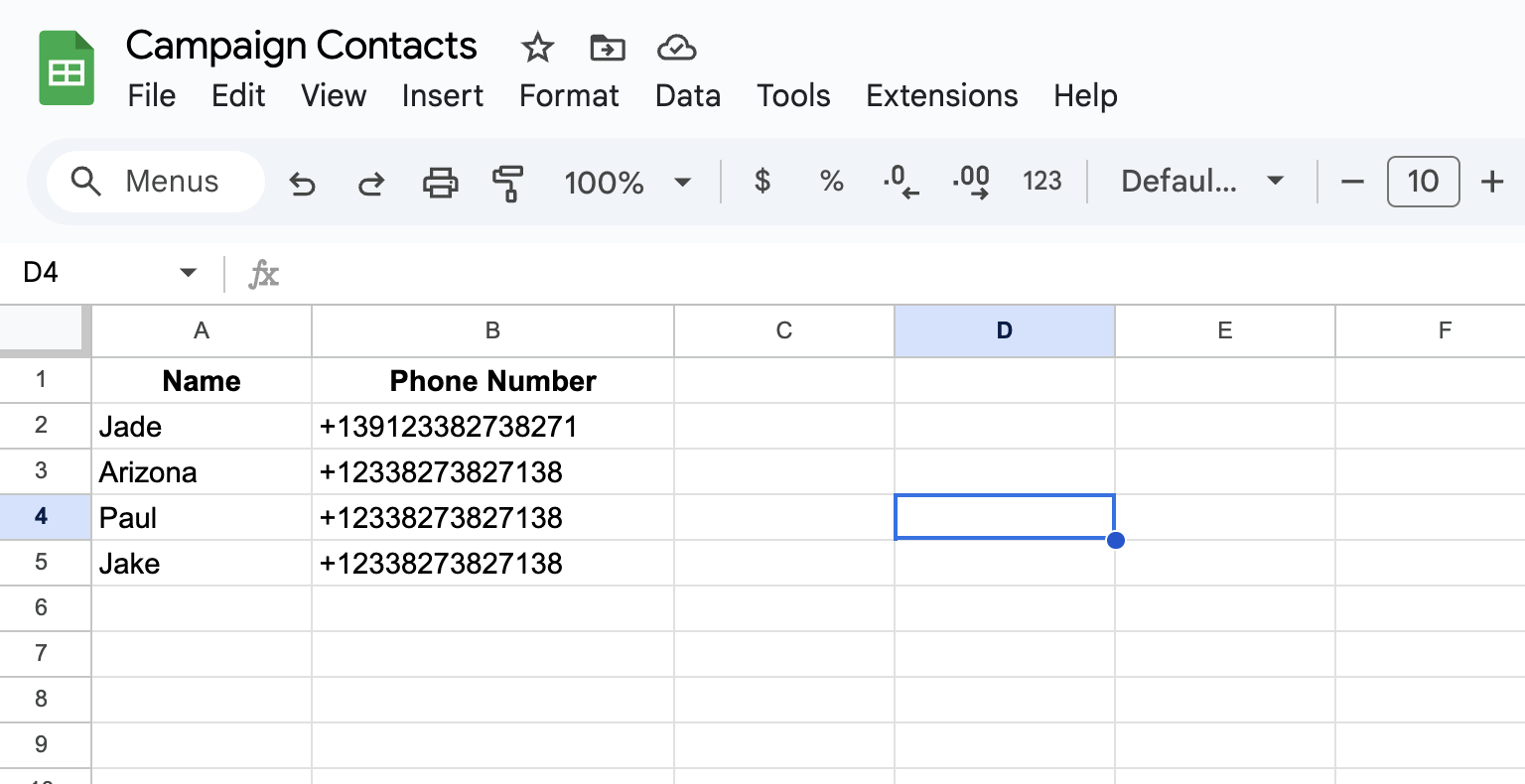
Field Mapping
Click Upload CSV in the rocketsend.io pane
Map phone numbers to Number and names to {{first_name}}
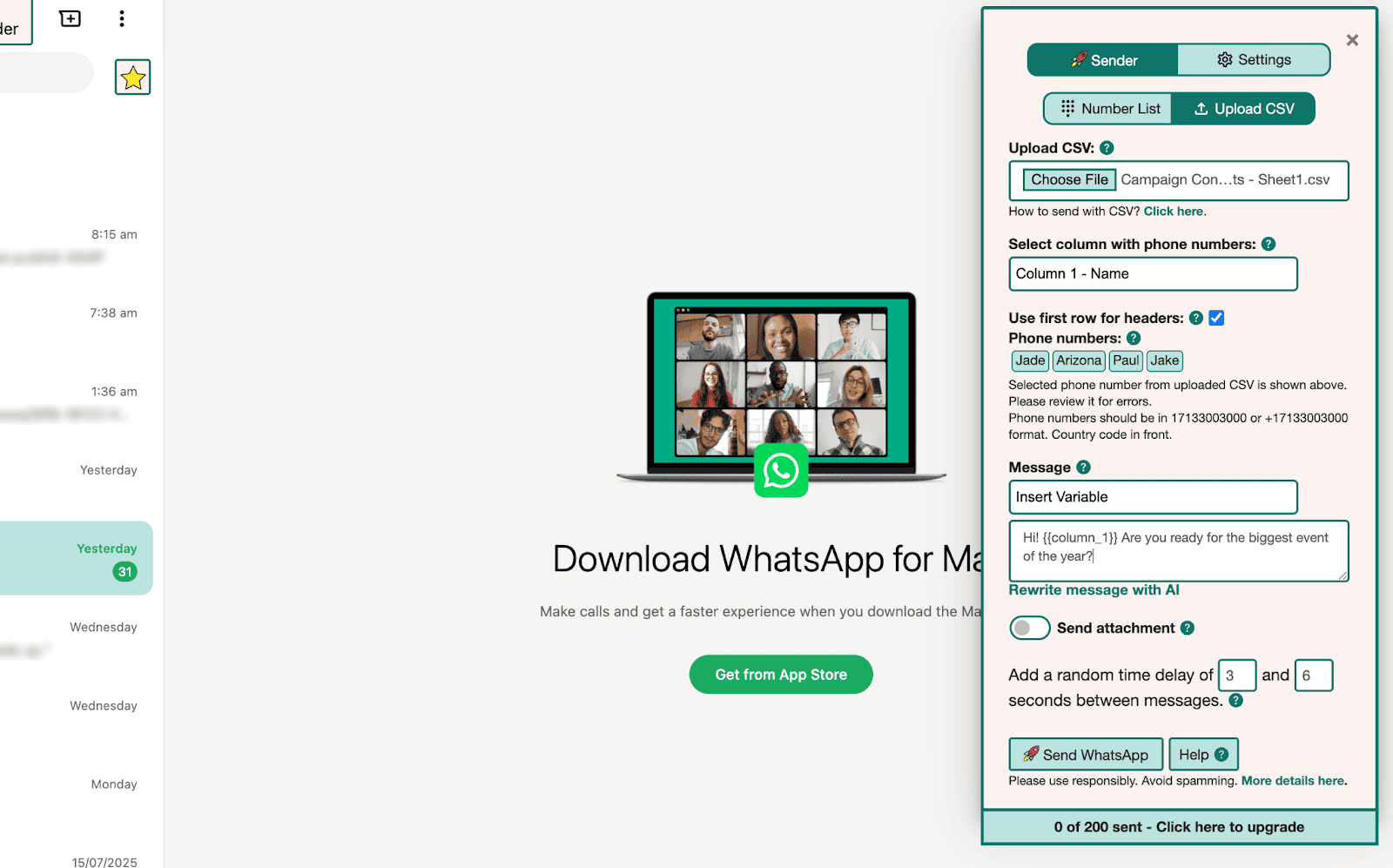
Draft Your Feedback Request
Write a concise prompt asking for feedback:
Hi {{first_name}}, we hope you enjoyed our service. Could you share a quick testimonial about your experience?
Mention how you’ll use their feedback and thank them in advance
Schedule and Send
Write your feedback request in the rocketsend.io pane, then create a Google Calendar event for your chosen send time (for example, Wednesday afternoon). Paste the draft message into the event description so it’s ready when your reminder fires. When the calendar alert goes off, open WhatsApp Web, paste your request, and hit send.
For a follow-up, set a second calendar event 48 hours later with the shorter prompt in its description—for example:
Hi {{first_name}}, just checking in—do you have a moment to share your feedback? Thank you!
Capture and Use Testimonials
- Collect replies in WhatsApp Web
- Review feedback and ask permission to share quote on your website or social media
- Format approved testimonials and post them using your marketing channels
Best Practices & Tips
- Keep feedback requests under 100 characters for higher response rates
- Offer a clear context for sharing to encourage honest replies
- Follow up privately if a customer provides suggestions for improvement
- Use collected testimonials in combination with customer success stories for stronger impact
Conclusion
With rocketsend.io, you can seamlessly gather feedback and testimonials directly in WhatsApp. By drafting a friendly request, mapping fields, and scheduling sends, you’ll capture authentic customer voices and amplify your social proof across marketing channels. Start gathering feedback today and turn customer praise into powerful testimonials.